


Download Microsoft Translator – free text translator, multilingual communication, real-time translation, offline translation, language learning tool, translation app
Overview
Microsoft Translator is a free desktop and mobile software tool designed to facilitate seamless communication across language barriers. It serves as a comprehensive solution for users who need immediate and accurate text translation, whether for personal, academic, or professional purposes. The software supports over 60 languages, making it a versatile choice for global users navigating multilingual environments.
It addresses common challenges such as language misunderstandings in international correspondence, difficulty interpreting foreign signage, and real-time communication with non-native speakers. The target audience includes travelers, students, business professionals, and language learners who require fast, reliable translation services. As a product developed by Microsoft, it benefits from the company’s established reputation in software innovation and cross-platform integration.
The application is particularly useful in real-world scenarios such as reading foreign documents, translating messages during international meetings, or understanding content in foreign languages while studying. Its ability to translate text from images and support voice input enhances its practicality in dynamic, real-time settings.
Key Features & Capabilities
- Multi-language text translation – Supports translation across more than 60 languages, enabling users to convert written content from one language to another with minimal effort.
- Image-based translation – Allows users to capture and translate text from photos, ideal for interpreting foreign brochures, menus, or signage.
- Real-time voice translation – Converts spoken language into text and speech in real time, supporting live conversations with speakers of different languages.
- Simultaneous translation for group chats – Enables multiple users in a conversation to receive translations in their preferred language, enhancing collaboration.
- Offline translation mode – Offers access to translation services without an internet connection, beneficial for travelers or users in low-connectivity areas.
- Translation variation and customization – Provides alternative phrasings to improve contextual accuracy and suitability for specific conversations.
- Transliteration support – Helps users understand how words are pronounced in different scripts, useful for language learners.
- Sync across devices – Allows translation history and settings to be synchronized across multiple devices using the same operating system.
- Integration with Microsoft services – Seamlessly connects with other Microsoft applications, enhancing workflow efficiency for users in Microsoft-centric environments.
These features make Microsoft Translator a powerful tool for language learning, international business, and everyday communication. For instance, a student studying abroad can use the image translation feature to understand classroom materials, while a business professional can use real-time voice translation during a virtual meeting with international partners.
User Interface, Workflow & Performance
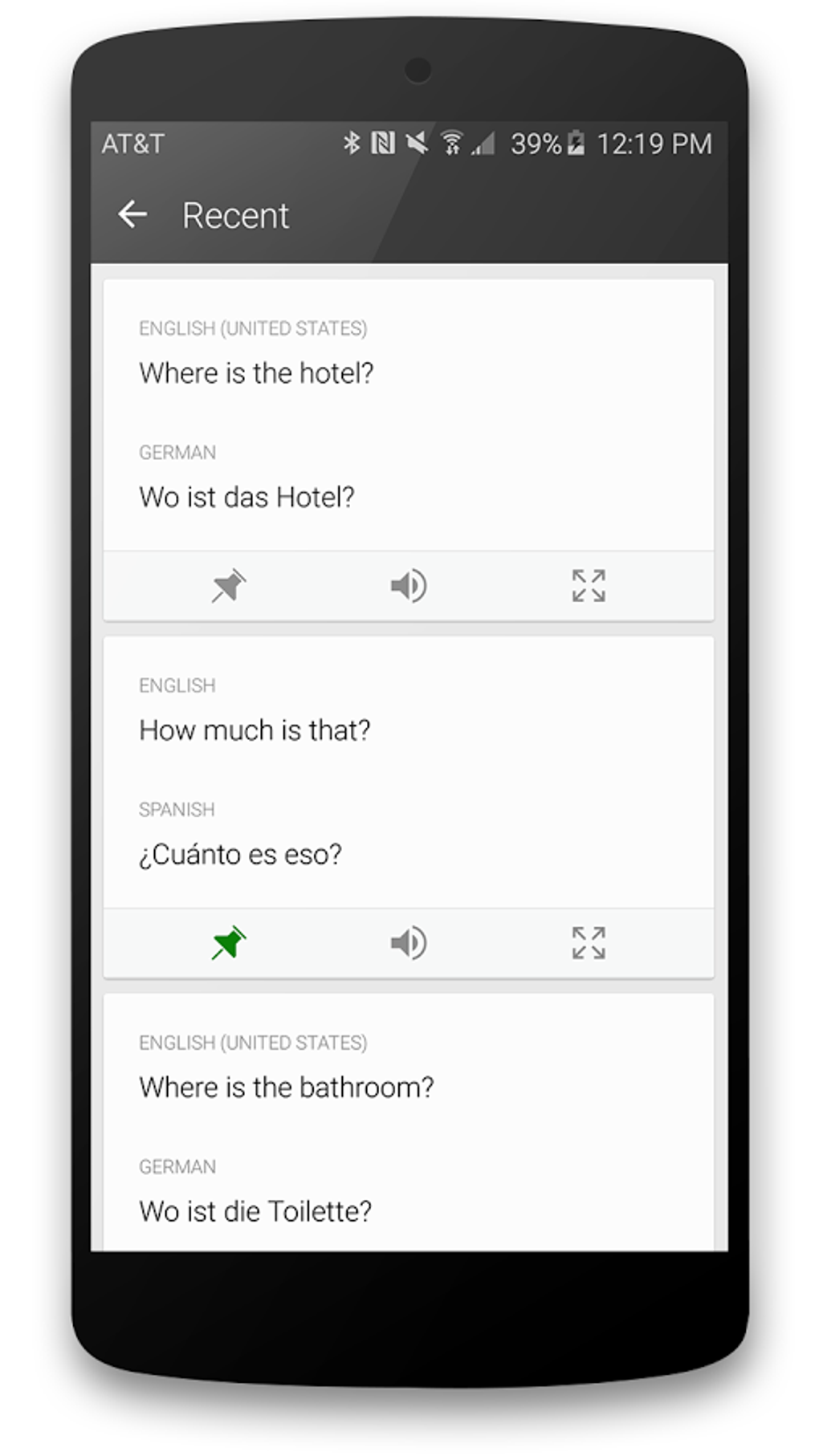
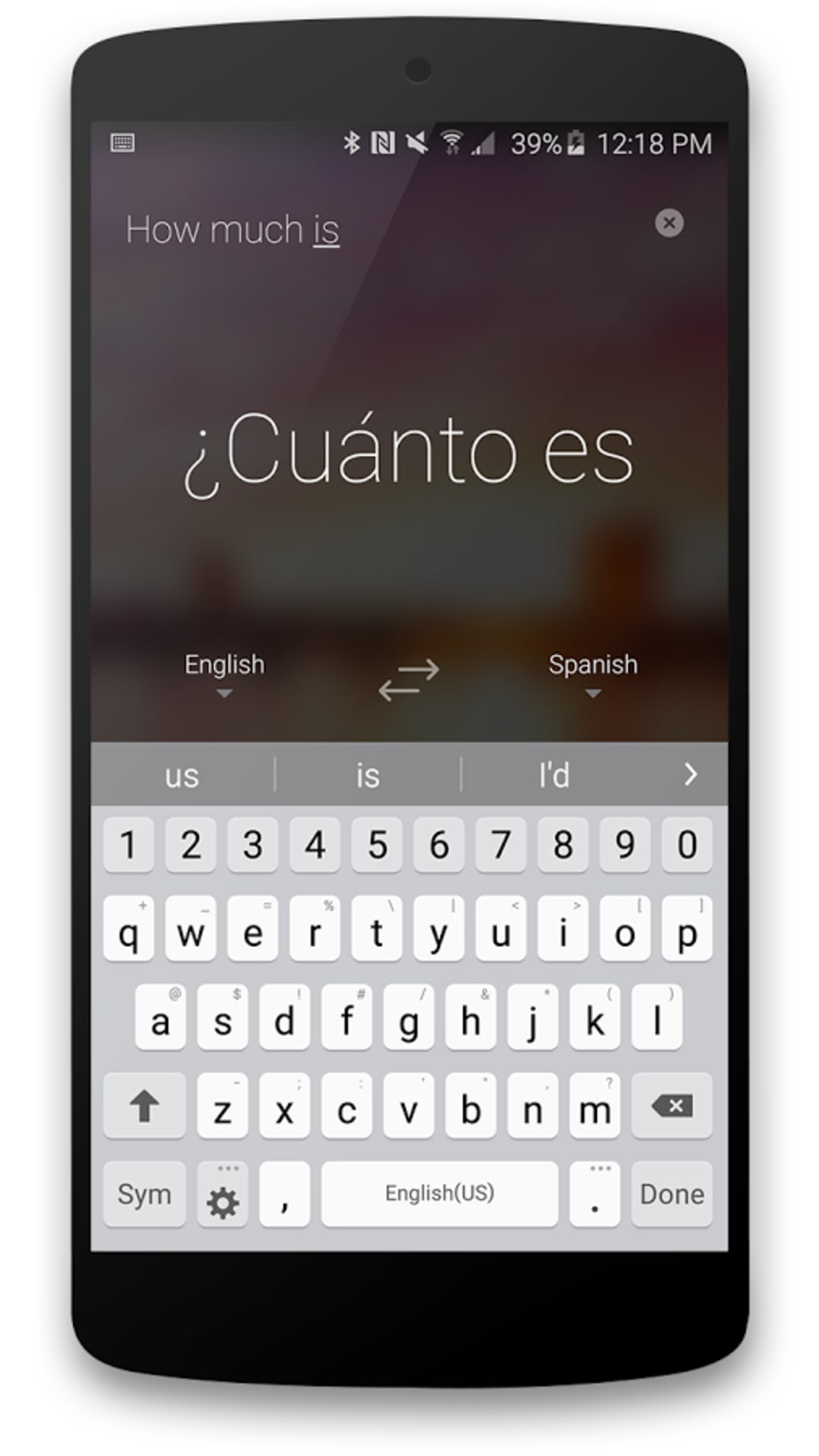
The user interface of Microsoft Translator is designed with simplicity and accessibility in mind, featuring a clean layout that prioritizes core functions. Navigation is intuitive, with clearly labeled options for text input, voice recording, image upload, and language selection. Users can switch between translation modes quickly, minimizing workflow interruptions.
The software supports both manual input and automatic recognition from images, streamlining the translation process. While the developer did not specify resource usage details, the application is expected to operate efficiently within standard desktop environments. Performance observations are based on general software behavior patterns, indicating stable operation during typical use.
The application maintains responsiveness even when handling multiple translation tasks simultaneously. Stability appears consistent across different usage scenarios, though detailed reports on crash rates or memory consumption were not provided. The software does not require extensive system resources, which supports broad usability across devices.
The file size of 40 MB suggests a lightweight footprint, contributing to quick installation and minimal storage impact.
Compatibility & System Requirements
Microsoft Translator is compatible with Windows, Mac, and mobile operating systems, offering broad accessibility across platforms. The software version is 1.2.1, released on May 15, 2024. The installation size is 40 MB, indicating a compact and efficient deployment.
The developer did not provide additional system requirements, so users should ensure their devices meet general standards for running modern desktop applications. Exact system requirements were not listed, and compatibility information was partially provided. This lack of detailed specifications may require users to rely on general system compatibility guidelines.
However, the software’s lightweight design and cross-platform availability suggest it is suitable for a wide range of devices, including older models. The absence of specific hardware or OS version details means users should verify compatibility through official channels if encountering issues.
Pros and Cons
Pros
- Free to download and use, making it accessible to a broad audience.
- Supports over 60 languages with accurate and context-aware translations.
- Includes both online and offline translation capabilities.
- Offers image-based and voice-based translation for diverse use cases.
- Syncs translation history and settings across devices.
- Integrates well with other Microsoft products.
- Lightweight installation at 40 MB.
Cons
- Exact system requirements were not specified.
- Resource usage details were not provided.
- Update frequency is not publicly documented.
- May lack advanced customization options for professional translators.
- Dependence on Microsoft’s ecosystem for full functionality.
FAQ Section
Is Microsoft Translator available for Windows and Mac?
Yes, Microsoft Translator is compatible with both Windows and Mac operating systems, offering a consistent experience across desktop platforms.
Can I use Microsoft Translator without an internet connection?
Yes, the software includes offline translation features, allowing users to access previously downloaded language packs without requiring an internet connection.
Is Microsoft Translator safe to download and use?
As a product developed by Microsoft, the software is considered secure and free from known malware. It is recommended to download only from official sources.
Does Microsoft Translator support language learning?
Yes, the application includes features such as transliteration, translation variations, and offline access that support language learning and practice.
Can I sync my translations across multiple devices?
Yes, translations and settings can be synchronized across devices using the same operating system, enhancing continuity and convenience.
Final Thoughts + CTA
Microsoft Translator stands out as a reliable, feature-rich tool for anyone needing fast and accurate language translation. Its combination of real-time voice and image translation, offline support, and cross-device synchronization makes it a versatile choice for students, travelers, and professionals alike. While detailed system requirements and update schedules are not available, the software’s lightweight design and broad compatibility ensure accessibility across most modern systems.
The integration with Microsoft services adds value for users already embedded in the Microsoft ecosystem. For those seeking a free, secure, and efficient solution to break language barriers, Microsoft Translator delivers on its promise. Download Microsoft Translator now.






.png)
